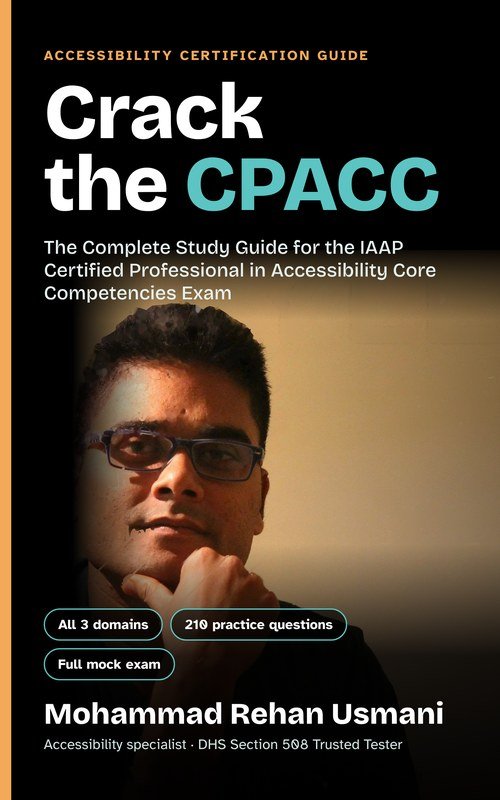
Crack the CPACC: The Complete Study Guide
My complete study guide for the IAAP Certified Professional in Accessibility Core Competencies exam, free to download.
- All three exam domains, explained in plain language
- 210 original practice questions, including a full 100-question mock exam with answers
- Revision sheet, WCAG 2.2 quick reference, glossary and career guide
- Links and QR codes to my free CPACC revision videos and Quick Tips on YouTube
- Accessible, tagged PDF that works with screen readers (210 pages, 2 MB)
To download, like this page and leave a short comment. Your email is optional.
Free study notes covering the three CPACC exam domains, followed by a 110-question practice test with instant feedback and a score at the end. Written by Rehan Usmani. Not affiliated with or endorsed by IAAP.
Summary
Watch the video series
Three short narrated revision videos, one per domain. Each has accurate captions: select CC in the player to turn them on.
Domain 1: Disabilities, challenges and assistive technologies
4:54 · captions available · Watch on YouTube (Domain 1)
Domain 2: Accessibility and universal design
3:54 · captions available · Watch on YouTube (Domain 2)
Domain 3: Standards, laws and management strategies
4:52 · captions available · Watch on YouTube (Domain 3)
Disabilities, challenges and assistive technologies
Domain 1 · 40%Models of disability
Know each model’s core idea, plus one strength and one weakness. The exam asks which model a scenario reflects.
| Model | Core idea | Strength | Weakness |
|---|---|---|---|
| Medical | Disability is a biological condition to diagnose and treat. Legal definitions and benefit eligibility often rest on it. | Clear criteria for treatment and benefits | Ignores environmental barriers; frames the person as the problem; repeated proof can feel degrading |
| Social | Barriers in design, policy and attitudes create disability. The “town of wheelchair users” thought experiment illustrates it. | Removes stigma; puts the duty on society to design inclusively | Can downplay the physical reality and identity of disability |
| Biopsychosocial | Combines biological, individual and social factors. Basis of the WHO’s ICF. | Comprehensive; useful in rehabilitation | May downplay medical needs |
| Economic | Looks at effects on ability to work, income, employers and public spending. | Recognises the practical impact on work | Can label people “needy”; close to the charity model; strict definitions leave people out |
| Functional solutions | Practical problem-solving: identify a limitation, fix it with technology or new methods. Many AT businesses follow it. | Results-focused, innovative | Can miss the wider social context |
| Social identity / cultural affiliation | Disability as shared identity and community, such as Deaf culture built around sign language. | Self-acceptance; collective political strength | Impractical for technical definitions |
| Charity / tragedy | Disability as misfortune; non-disabled “givers” help disabled “receivers”. Treating disabled people as “inspiring” for everyday life comes from this view. | Can raise money and help | Unequal power, pity, offensive attitudes |
Other models you may meet: affirmation (pride, disability as natural diversity), sociopolitical (change through collective action and structural reform), religious/moral (disability as punishment or test), expert/professional (professionals assess and fix), rehabilitation (build skills to adapt).
Visual disabilities
- Blindness: US legal blindness means 20/200 or worse in the better eye with correction, or a visual field of 20 degrees or less. It decides eligibility for programs and doesn’t describe functional vision.
- Low vision: significant impairment even with glasses. Know the patterns: glaucoma (tunnel vision, lost periphery), macular degeneration (lost central vision), hemianopia (half the visual field lost), cataracts (cloudy spots), diabetic retinopathy (floating dark spots), retinal detachment (flashes, floaters, a shadow).
- Colour blindness: red-green is most common (deuteranopia, protanopia), affecting about 1 in 12 males and 1 in 200 females. Tritanopia is blue-yellow and rare. Achromatopsia means seeing in greyscale.
- Solutions: screen readers, refreshable braille, magnifiers such as ZoomText, colour and contrast customisation, OCR, tactile paving, canes and guide dogs, braille labels, apps like Seeing AI and Be My Eyes. Never use colour alone to carry meaning. Place pop-ups and errors near the focus point so magnifier users see them.
Auditory disabilities and deafblindness
- deaf vs Deaf: lowercase means the hearing condition (medical view). Capital D means membership of Deaf culture (social identity model).
- Auditory processing disorder (APD): no measurable hearing loss, but the brain struggles to interpret sound. Often mistaken for ADHD.
- Solutions: synchronised captions for video, transcripts for audio-only content, sign language interpretation, CART (real-time captioning), STTR (speech-to-text reporter), hearing loops, flashing or vibrating alerts.
- Deafblindness: most people keep some sight or hearing. Communication by tactile signing (hands over the signer’s hands). Digital access through a screen reader driving a refreshable braille display. Transcripts are essential because neither video nor audio reaches them. Use haptic alerts.
Mobility, flexibility and body structure
- Causes include amputation, multiple sclerosis, cerebral palsy, stroke, paralysis, arthritis and ALS. Can be temporary, permanent or episodic. Body size disabilities include dwarfism and acromegaly.
- AT: mouth stick, head wand, one-handed and expanded keyboards, switch access, sip-and-puff (Christopher Reeve), eye gaze tracking, speech recognition (Dragon), foot mouse. Stephen Hawking (ALS) used a cheek sensor with word prediction.
- Design fixes: full keyboard operability, adjustable or extendable time limits, large and well-spaced touch targets, ramps, elevators, wide doorways, lever handles, automatic doors.
Cognitive, learning and neurodevelopmental
- Intellectual disability: DSM-5 criteria are limits in intellectual functioning, limits in adaptive functioning, and onset during development. IQ typically below 70–75.
- ADHD (inattentive, hyperactive-impulsive or combined), autism spectrum (now includes Asperger syndrome), non-verbal learning disability (strong verbal skills, weak visual-spatial and social skills).
- Dyslexia (reading; letters seem to move or swap), dyscalculia (arithmetic), dysgraphia (difficulty drawing or copying figures).
- Barriers: complex language and idioms, cognitive overload, multi-step problem solving, CAPTCHAs, short-term memory demands, distractions.
- Solutions: plain language, simple predictable layouts, clear error messages with fixes, visuals alongside text, text-to-speech, extra time, dyslexia-friendly fonts, spell checkers, alternative CAPTCHA types.
Speech and language
- Stuttering (fluency), cluttering (rapid, irregular speech), apraxia (trouble planning the muscle movements for speech), dysarthria (weak speech muscles from brain damage; slurred speech), aphasia (brain injury, usually stroke; affects speaking, understanding, reading and writing).
- Mutism: neurogenic (brain injury) or psychogenic. Psychogenic types are elective (chooses not to speak), selective (wants to but anxiety prevents it) and total.
- AAC: unaided uses only the body (gestures, sign). Aided uses a tool: low-tech (boards, pen and paper) or high-tech (speech-generating devices).
- Offer text alternatives to voice-only channels and allow extra time to communicate.
Seizure and psychological disabilities
- Epilepsy affects about 50 million people, and roughly 3% of them are photosensitive. Keep flashing to 3 times per second or fewer, give controls to stop animation, warn about flashing, and scan video with tools such as PEAT. The 1997 Pokémon episode sent 685 children to hospital.
- Psychological: a mental illness that substantially limits a major life activity can count as a disability. Anxiety disorders are the most common group. Also mood disorders (depression, bipolar, SAD), schizophrenia (positive and negative symptoms), personality disorders and eating disorders.
- Supports include task breakdown, reminders, reduced-distraction environments and predictable routines.
- Multiple/complex disabilities: plan for how the disabilities interact, not each one alone. About 10–15% of disabled people have complex needs.
Statistics (learn the IAAP Body of Knowledge figures)
| Topic | Figure |
|---|---|
| Significant disability worldwide | 1.3 billion people, 16%, about 1 in 6. The world’s largest minority. |
| Health inequity | Die up to 20 years earlier; twice the risk of conditions like depression and diabetes; find transport 15 times harder |
| Born with their disability | Only 17% (UK research). Most disabilities are acquired, often with age. |
| Vision | 2.2 billion with vision impairment; 246 million with low vision; about 90% live in low-income settings |
| Hearing | 430 million with disabling hearing loss; APD about 5% |
| Deafblind | 0.2% to 2% of the population |
| Mobility | 11% of US adults (no global figure) |
| Cognitive | Intellectual disability 200 million; dyslexia 5–10%; dyscalculia 3–6%; autism 1 in 100; ADHD 2–7% of children, about 4% of adults |
| Mental health | Anxiety 284 million (2017, most prevalent); bipolar 19 million; schizophrenia 24 million (1 in 300) |
Statistics vary because definitions differ, self-report and observer methods give different results, benefits encourage disclosure while stigma discourages it, and some governments under-report.
Disability etiquette
- Person-first language (“person with epilepsy”) is the US default. The UK often says “disabled person”. Some people prefer identity-first (“autistic person”). When unsure, ask.
- Avoid “wheelchair-bound”, “the disabled”, “the blind”. Say “wheelchair user” and “people who are blind”.
- Speak to the person, not their interpreter or companion. Use your normal tone. Don’t cover your mouth. Introduce yourself to someone who is blind. Don’t finish the sentences of someone with a speech disability.
- Ask before helping and accept a “no”. Offer help when it’s clearly needed.
- Don’t pet or distract a working service animal (usually dogs, sometimes miniature horses). Don’t touch or lean on a wheelchair or cane.
- Everyday phrases like “see you later” are fine.
More points to know
- Models: no model is complete; in practice organisations mix the social and medical models. The biopsychosocial model was first described by George Engel in 1977. The economic model is what policymakers use to decide benefits.
- Extra model weaknesses: social model activism can create political opponents. Functional solutions products may be innovative but impractical, or benefit the innovators more than the users. Social identity can make people who don’t fit the group feel excluded. Charity focuses on short-term needs over lasting solutions.
- Key terms: assistive technology is a product or system people use to do tasks they otherwise couldn’t, and it doesn’t have to be digital (a cardboard communication board counts). An adaptive strategy is a tweak the person makes, such as moving closer to the speaker in an auditorium or changing display settings. Providing accessibility is the responsibility of whoever provides the product, service or environment.
- Vision: the leading causes of vision impairment worldwide are uncorrected refractive errors and cataracts. At least 1 billion cases could have been prevented or have yet to be addressed. Most people with vision impairment are over 50. Low vision is defined by function: not enough vision to do what you need to do.
- Hearing: for people born deaf, sign language is often the first language, so written text is a second language. People who lose hearing later often prefer text. About 750,000 people in the EU use sign language as their first language. Other AT: cochlear implants, FM and sound-field systems, personal listening devices, noise-cancelling headphones.
- Deafblind: touch is the only practical channel for complex communication. AT includes the Deaf-Blind communicator and tactile navigation aids.
- Speech: organic speech sound disorders have a motor, neurological, structural (cleft palate) or sensory cause. Functional ones have no known cause and show as articulation or phonology errors. With apraxia, the person knows what to say but the brain can’t plan the movements. Aphasia affects at least 2 million people in the USA and 250,000 in Great Britain. AT includes voice carryover phones and word prediction.
- Mobility: know the difference between fine motor control (ataxia is lost fine motor skill after neurological damage), ambulation (walking with or without a device), muscle fatigue and body size or shape. Physical-world AT: exoskeletons, reachers, stair lifts, grab bars, voice-operated lights.
- Cognitive: seven mental functions: attention, memory, psychomotor, emotional, perceptual, thought and calculation. External factors like stress, overload and lack of sleep also affect them. AT is grouped by mental function, not diagnosis. Examples: password managers and form auto-complete support memory; task apps support attention.
- Intellectual disability: adaptive behaviour has three skill groups (AAIDD): conceptual, social and practical.
- ADHD: diagnosis needs 6 or more symptoms in children and 5 or more in adults. Autism: two DSM-5 criteria (social communication; restricted, repetitive behaviour) and three severity levels. NLD is close to Asperger syndrome but milder.
- Cognitive web barriers (European Commission study): finding information, filling in forms, managing passwords, understanding controls, staying focused, clutter, and time-outs that cause stress.
- Seizures: flashing at 16–25 per second is most likely to trigger seizures, but some people react to rates from 3 up to 60. WCAG’s limit is three flashes per second, or staying below the general flash and red flash thresholds. AT: seizure-detecting smart watches, alert wearables, service animals.
- Psychological: the main groups are anxiety, mood and psychotic disorders. Psychosis means losing touch with reality (delusions and hallucinations). Solutions for cognitive disabilities often help here too.
- Multiple disabilities: in the US, the legal definition excludes deafblindness, which has its own category.
- Why collect statistics: to inform policy on health, housing, transport, education and work. Typical questions they answer: how many disabled people per country and age group, and how many are employed, have disposable income or live in poverty.
Accessibility and universal design
Domain 2 · 40%Accommodation vs universal design
An accommodation is reactive: a change made for one person to make up for a gap in the main design. Universal design is proactive: one design that works for the widest range of people from the start.
Benefits of accessible design
- People with disabilities: independence in banking, shopping, government services, education and travel.
- Organisations: public image, device compatibility, SEO, a bigger customer base, eligibility for contracts and grants, lower legal risk.
- Everyone else: curb cuts (prams, bikes), elevators, dual-height drinking fountains, automatic doors. Less burden on caregivers.
Web accessibility principles (WCAG 2.1, POUR)
| Principle | Guidelines | Key idea |
|---|---|---|
| Perceivable | 4: text alternatives, time-based media, adaptable, distinguishable | Content must reach at least one sense (sight, sound or touch). Digital text is the universal format because it can become speech or braille. |
| Operable | 5: keyboard, enough time, seizures, navigable, input modalities | Works with any input device. The keyboard is the almost-universal input. Manage focus and warn before timeouts. |
| Understandable | 3: readable, predictable, input assistance | Declare the page language, write simply, stay consistent, give instructions and clear error and confirmation messages. |
| Robust | 1: compatible | Valid markup and ARIA name, role and value so assistive tech can interpret custom components. |
13 guidelines in total. WCAG 2.2 is the latest version, but the CPACC outline references WCAG 2.1.
Universal design for the web
- Images: meaningful alt text, or mark decorative images so screen readers skip them.
- Colour and contrast: never colour alone; enough contrast between text and background.
- Media: captions for deaf users, audio description for blind users, transcripts for deafblind users.
- Links: descriptive text, because screen reader users often browse a list of links. Avoid “click here”.
- Headings: real heading tags in logical order, so users can jump between sections.
- Keyboard: everything operable, logical tab order, visible focus indicator.
- Tables: header cells (th with scope) so each data cell is announced with its header.
- Forms: every field has a programmatically associated label.
- Dynamic content: prefer native HTML; use ARIA for states and live regions; manage focus.
- PDF: tagged PDF with correct reading order, ideally exported from an accessible Word or InDesign source and checked in Acrobat Pro.
Seven principles of universal design
Developed in 1997 by a group led by architect Ronald Mace at North Carolina State University.
| Principle | Meaning | Physical example |
|---|---|---|
| 1. Equitable use | Same means of use for all, identical when possible; no segregation | One step-free entrance for everyone |
| 2. Flexibility in use | Choice of methods; left or right hand; adapts to pace | Phones with screen reader, zoom and voice control |
| 3. Simple and intuitive use | Easy regardless of experience, language or concentration | Clear pictorial hazard signs |
| 4. Perceptible information | Information in several modes (visual, verbal, tactile) with good contrast | Detectable warnings on curb cuts; captioning devices in cinemas |
| 5. Tolerance for error | Minimise hazards; warnings and fail-safes | Undo and confirm steps |
| 6. Low physical effort | Neutral body position, low force, little repetition | Smooth sidewalks; lever handles; automatic doors |
| 7. Size and space for approach and use | Reach and space for any body size, posture or device | Wide aisles; sinks with knee clearance |
Universal design in the physical world
Barriers in buildings and products come from design choices, so they can be designed out. An entrance barrier blocks everything inside, just as a website login barrier does. The exam often gives a physical scenario and asks which principle it shows.
| Place or product | Barriers | Universal design answer (principle) |
|---|---|---|
| Sidewalks | Cracks, cobblestones, construction, no curb cuts | Curb cuts that serve everyone (1); detectable warnings at crossings (4); smooth surfaces (6); width for wheelchairs and rollators (7). Keep them straight with predictable edges for cane users. |
| Entrances | Steps; “unvisitable” homes | One step-free entrance for all (1). A ramp plus steps also works but needs more space. |
| Multi-level buildings | Stairs; flat elevator buttons; no floor announcements | The goal is moving between floors, not climbing stairs. Elevators (1); braille or tactile buttons plus spoken and visual floor cues (4). The stair-climbing iBOT needs a handrail grip and saw little uptake. |
| Doorways | Round knobs; high thresholds; doorbells deaf residents can’t hear | Flat thresholds (1); flashing or phone-alert doorbells (4); lever handles and motion-sensor doors (6). Levers still fail people with quadriplegia, so an accessible push button or sensor is the fuller answer. |
| Bathrooms | Tight stalls, no knee clearance, high dispensers, grip faucets | Tactile or braille signs (4); hands-free faucets, automatic flush, grab bars (6); turning space (7). |
| Drinking fountains | No space underneath; stiff buttons | Two heights (2); sensor-activated, hands-free (6). |
| Public transport | Fare machines, narrow turnstiles, platform gaps (“mind the gap”), visual-only arrival boards | Spoken and visual arrivals, high-contrast doors, tactile maps, platform-edge warnings (4); wide gates (7). The whole route must work, both stations included. Buying fares online helps only if the site is accessible. |
| Taxis | No wheelchair access; visual-only fare meters | Ramped taxis (1); card or cash (2); audio fare screens (4); large touch targets (5). Over half of NYC yellow cabs are now wheelchair accessible. |
| Emergencies | Deaf people can’t hear alarms; blind people can’t find extinguishers | Accessible exits for all (1); alarms with flashing lights and sound, and vibrating phone alerts for deafblind people (4). |
| Grocery stores | Shelves out of reach; labels unreadable by touch | Product info on phones and in-store guidance (1); essentials on middle shelves and wide aisles (7). Online ordering gives independence. |
| Kiosks and self-checkout | Fixed height, touch-only, small buttons, low contrast | Audio and visual interfaces (4); larger buttons and fonts (5); kiosks at several heights (7). Online and mobile check-in. |
| Signs and QR codes | Text-only or image-only signs; distracting ads (hard for ADHD) | Standard pictorial signs (3); audio, braille, large high-contrast versions (4). For QR codes: instructions, contrast, a typed URL, a braille “scan me” label, alt text. |
| Printed materials | “Print disabilities”; braille is bulky and costly; same-size US banknotes | Adjustable digital books (1); visuals and plain language (3); braille, large print and digital formats (4). Also OCR, text-to-speech, magnifiers, AI smart glasses. |
| Microwaves | Flat touch panels with no tactile cues | Dials or larger buttons (2); audio and visual feedback plus tactile markers (4). |
| TVs | Remotes with many similar buttons; visual-only menus | Tactile controls, voice control (2); simplified remotes (3); spoken menus, captions, audio description (4). Raised dot on the 5 key. |
| Cinemas | No captions or description; poor seating | Integrated accessible seating (1); devices for captions, audio description and amplified sound (4); wide aisles (7). |
| ATMs | No knee space; low-contrast screens; voice ATMs risk privacy | Tactile keys, mobile-app interaction (2); headphone jack audio (bring your own headphones), braille keypad, high contrast (4); accessible height and clearance (7). |
| Mobile devices | Tiny keys; early touchscreens were inaccessible | VoiceOver and TalkBack, zoom, contrast, braille support, voice access, live transcription (2, 4). Voice recognition can fail for some people with speech disabilities, such as some with cerebral palsy. |
Gallaudet University’s DeafSpace: wide walkways so signers can talk while walking, semicircle seating, transparent doors and mirrors for sight lines, muted blue and green walls that contrast with skin tones, ramps instead of stairs. Philosophy: build it in from the start (retrofitting costs more), good universal design is often invisible, and accessibility is an investment.
Universal Design for Learning (CAST)
Fix the curriculum, not the learner. 3 principles and 9 guidelines. Curriculum has four parts: goals, materials, methods and assessments.
| Principle | Guidelines | Brain network |
|---|---|---|
| Representation (the “what”) | 1 Perception · 2 Language and symbols · 3 Building knowledge | Recognition (back of the brain) |
| Action and expression (the “how”) | 4 Interaction · 5 Expression and communication · 6 Strategy development | Strategic (frontal lobe) |
| Engagement (the “why”) | 7 Welcoming interests and identities · 8 Sustaining effort and persistence · 9 Emotional capacity | Affective (limbic system) |
CAST lists engagement first on its site, but keeps this guideline numbering.
Usability and UX
- ISO definition: how well specified users achieve specified goals with effectiveness, efficiency and satisfaction in a specified context.
- Whitney Quesenbery’s 5 Es: effective, efficient, engaging, error tolerant, easy to learn. Steve Krug: “Don’t make me think.”
- Usability is one part of UX. UX also covers useful content, desirability, accessibility and credibility.
- User-centred design: involve users throughout, iterate, and include accessibility testing in each cycle.
- Usability problems affect everyone. Accessibility problems block people with disabilities. Fixes can conflict: very long alt text is accessible but tiring to hear.
Myths and the replies
- “Only a small minority benefits”: about 20% have a disability, anyone can acquire one, and the benefits reach mobile users and older people.
- “It’s a short-term project”: it’s ongoing, like security or privacy. It needs leadership, roles, process and inclusive hiring.
- “Do it at the end”: retrofitting is like adding plumbing to a finished building.
- “It’s hard and expensive”: cheaper than retrofits, lawsuits and bad publicity.
- “It’s ugly”: most accessibility features are invisible, such as alt text, reading order and ARIA. Good design can be both functional and beautiful.
More points to know
- Related ideas: inclusive design, design for all, human-centred design and life-span design all aim for products most people can use without adaptation. “Design for all” is the term used mainly in Europe; its standard is EN 17161:2019.
- Three concepts compared: accessibility gives disabled people an equivalent experience; usability focuses on ease of use but may ignore disability; universal design includes everyone without naming target groups. Universal design reduces, but doesn’t remove, the need for accommodations.
- Benefits: wider participation, innovation from diversity, and less GDP lost from excluding disabled people from work. Web accessibility also helps people on small screens, older users, people with temporary or situational limits, and anyone on a slow or costly connection.
- Built environment: minimum building codes are about compliance and often amount to accommodation. Best-practice universal design guidelines aim higher. Leaving universal design out of the original build can cost more than the construction itself.
- Universal design definition (Ireland’s Centre for Excellence in Universal Design): an environment usable to the greatest extent possible by everyone regardless of age, size, ability or disability. In short, universal design is simply good design.
- Older UDL guideline names. Study materials may still use CAST’s earlier guideline names, so learn both versions:
- Engagement: recruiting interest, sustaining effort and persistence, self-regulation.
- Representation: perception, language and symbols, comprehension.
- Action and expression: physical action, expression and communication, executive functions.
- Captions: automatic (AI) captions often lack correct grammar and punctuation, so review them before publishing. Live events need CART or STTR captioning.
Standards, laws and management strategies
Domain 3 · 20%Three kinds of law
- Civil rights: ban discrimination (ADA, Equality Act, EAA).
- Procurement: require buying accessible ICT (Section 508, EU procurement directives).
- Industry-specific: rules for one sector (CVAA for communications, ACAA for air travel).
International and regional instruments
| Instrument | Year | Remember |
|---|---|---|
| Universal Declaration of Human Rights | 1948 | First universal statement of human rights; 30 articles; drafted by a commission chaired by Eleanor Roosevelt |
| Declaration on the Rights of Disabled Persons | 1975 | UN declaration; not binding |
| African Charter on Human and People’s Rights | 1981 | Mentions “the disabled” only once (Article 18(4), special measures of protection), not as a discrimination ground; African Disability Rights Protocol adopted 2018, in force 2024 |
| Inter-American Convention | 1999 | First regional binding treaty to expressly ban disability discrimination |
| EU Charter of Fundamental Rights | 2000 (binding 2009) | Article 21 non-discrimination; Article 26 integration of persons with disabilities |
| UN CRPD | 2006 | First global binding disability treaty (after the regional Inter-American Convention); human rights model; in force 3 May 2008; Optional Protocol allows individual complaints; the US signed but hasn’t ratified |
| Marrakesh Treaty (WIPO) | 2013 | Copyright exception for accessible formats and cross-border exchange; ends the “book famine”; in force 2016 |
Earlier European groundwork: European Convention on Human Rights 1950 (disability falls under “other status”) and European Social Charter 1961.
National and regional laws
- ADA (US, 1990): covers employment, transport, public accommodation and government; enforced by the DOJ. Web lawsuits usually cite Title III. A 2024 Title II rule requires WCAG 2.1 AA for state and local government sites and apps, In April 2026 the DOJ extended the deadlines to 26 April 2027 (populations of 50,000 or more) and 26 April 2028 (smaller entities and special districts).
- Equality Act 2010 (UK): nine protected characteristics including disability; bans direct and indirect discrimination.
- Ontarians with Disabilities Act 2001: every sector shares responsibility for removing barriers and creating no new ones.
- EU Employment Equality Directive 2000: bans disability discrimination at work and requires reasonable accommodation.
Procurement and industry-specific laws
| Law or standard | Remember |
|---|---|
| Section 508 (US) | Federal agencies must buy and use accessible ICT; vendors selling to them must comply. 2017 refresh adopted WCAG 2.0 A and AA. |
| FAR (US) | Federal Acquisition Regulation puts Section 508 into federal purchasing. |
| Directive 2014/24/EU | EU public procurement must consider accessibility or “design for all”. |
| EN 301 549 | Voluntary harmonised EU ICT standard, the counterpart of Section 508. Version 3.2.1 (March 2021) references WCAG 2.1 AA for web. Version 4.1.1 (September 2026) moves to WCAG 2.2 AA and becomes the harmonised version once cited in the EU Official Journal. |
| Web Accessibility Directive 2016/2102 | EU public sector websites (by 23 Sept 2020) and apps (by 23 June 2021). Requires an accessibility statement, a feedback mechanism and an enforcement link. |
| CVAA (US, 2010) | Advanced communications; video shown on TV with captions must keep captions online. |
| ACAA (US, 1986) | Air travel; a 2013 DOT rule requires WCAG 2.0 AA for airline websites. New airport kiosks must meet separate accessibility design standards. |
| AVMSD, EECC, eIDAS (EU) | Audiovisual media services, electronic communications including the 112 emergency number, and electronic ID and trust services. |
| European Accessibility Act 2019/882 | Transposed by 28 June 2022, applies from 28 June 2025. Private sector; microenterprises providing services are exempt, and those making products have lighter obligations. Covers computers, ATMs, kiosks, phones, e-books, e-commerce, banking, transport. Standards include EN 301 549, EN 17210 (built environment) and EN 17161 (design for all). |
Governance frameworks
| Framework | Stages or levels |
|---|---|
| W3C WAI planning | Initiate → Plan → Implement → Sustain |
| EASNIE guidelines | Policy → Plan → Practice, plus seven recommendations (statement in strategy, plan, responsible owner, incremental goals, embed in processes, train staff, verify outsourced work) |
| Business Disability Forum maturity model | Based on the Accessible Technology Charter’s 10 commitments. Levels: 1 Informal, 2 Defined, 3 Repeatable, 4 Managed, 5 Best practice |
| Capability Maturity Model (Carnegie Mellon, adapted) | 1 Initial, 2 Repeatable, 3 Defined, 4 Managed, 5 Optimizing |
Watch the order: in BDF, Defined comes before Repeatable. In CMM, Repeatable comes before Defined.
Running an accessibility program
- Champions and integration: a program, not a project. It needs a dedicated team, expertise and an executive champion.
- Process: Plan → Create → Test, repeated in each sprint.
- Scope: innovation (rarest), new design (most effective), retrofitting (inventory, evaluate, prioritise), maintenance (watch for regressions).
- Time and cost: best case adds 1–5%; worst case doubles or triples the effort. Costs are mainly staff time, plus consultants and tool or AT licences.
- Quality: user stories, acceptance criteria and clear bug reports. Formative, summative and continuous evaluation. Test with people with disabilities.
- Risk: universities, banks, government and transport face higher legal exposure. Fix the most critical paths first, such as login. Publish an accessibility statement and a feedback channel.
- Procurement: a VPAT is self-reported and unverified, so test the product and put accessibility clauses in contracts.
- HR: inclusion statements in job ads, disability job boards, the IAAP Career Center and a11yjobs, accommodations, and ongoing training.
More points to know
- The UDHR (1948) doesn’t list disability among the groups protected from discrimination. That gap is why the CRPD was needed. Older sources describe disabled people as about 15% of the world’s population, “the world’s largest minority”.
- The CRPD moves disabled people from being “objects” of charity and treatment to “subjects” with rights. Accessibility is a general principle in Article 3 and is detailed in Article 9. Article 9 covers buildings, transport and ICT, including emergency services, and also requires braille and easy-read signage, live assistance (guides, readers, sign interpreters), and accessible ICT designed in early at minimum cost.
- CRPD monitoring: the Committee issues a List of Issues, states submit reports, and NGOs can file alternative reports. The EU ratified as a bloc, and each member state ratified separately.
- Regional treaties matter even after the CRPD: they address regional issues and let people bring complaints to regional courts (European, Inter-American and African human rights courts). The Inter-American Convention was adopted in Guatemala. The African Disability Rights Protocol (Article 11) targets harmful practices such as witchcraft accusations, abandonment, concealment and ritual killings. It came into force in 2024, so materials written before then say it isn’t in force yet.
- Direction of law: the move from the medical to the social model, plus the CRPD, shifted disability law from welfare to anti-discrimination and equality. Since the 1990s, 33 European countries have adopted disability equality protections.
- Two legal approaches:
- Reasonable accommodation is case by case. Under the EU Employment Directive, employers must provide it unless it puts a disproportionate burden on them.
- Accessibility is required regardless of who the user is. Section 508 takes this approach.
- Equality Act 2010 covers direct discrimination, “discrimination arising from disability” (unfavourable treatment because of something caused by the disability) and indirect discrimination. It applies in England, Scotland and Wales.
- ADA findings: its goals are equality of opportunity, full participation, independent living and economic self-sufficiency. It sets no technical web standard for private sites, but e-commerce sites and apps can be sued under Title III.
- EU healthcare laws fall into 4 groups depending on whether they ban discrimination, require reasonable accommodation, do both, or do neither.
- EN 301 549 is harmonised: meeting Annex A presumes conformance with the Web Accessibility Directive. It’s voluntary, so other standards are allowed, but then the body must prove compliance.
- The EAA covers manufacturers, authorised representatives, importers and distributors. Its planned standards also cover non-ICT product information, support services (help desks, relay services) and emergency communications, including 112.
- Communication management: publish standards for accessible communications, train staff in plain and person-first language, and caption and describe video.
- Legal and PR: PR should check with legal or compliance before publishing anything about the organisation’s accessibility.
- Procurement best practices: verify product claims, verify the vendor’s expertise and capacity, put accessibility in contracts, review the vendor’s accessibility roadmap regularly, and use buying power to influence vendors.
- Evaluation: “born accessible” design, reusable accessible code libraries, formative, summative and continuous testing, people with disabilities in testing, and human review alongside tools.
Exam tip. Expect short scenarios with four options and one best answer. Wrong options are often real terms from the wrong category, so learn which model, disability, principle or law each term belongs to.
These notes and practice questions are original study material written in plain language. They are not official IAAP content and are not affiliated with or endorsed by IAAP. CPACC is a credential of the International Association of Accessibility Professionals. For the official syllabus, read IAAP’s CPACC Content Outline and Body of Knowledge, which the exam is built on.
Practice test
Your result
IAAP doesn’t publish a fixed pass mark because scores are scaled. Treat 80% here as a readiness target, not an official cut-off.
| Domain | Correct | Score |
|---|
Questions to review
Found this useful?
Share it with someone preparing for CPACC, like it, or leave a comment below with your questions or score.
Thanks. I’m an accessibility tester with over 5 years of experience, and I love my job. Despite my experience, recruiters stop replying when I say I am not certified. I took CPACC once and failed, exams make me freak out, so sadly I really doubted trying again, this resource made me change my mind and I really appreciate it.
Thank you so much, Nicolás! Five years as an accessibility tester is real, valuable experience, and failing an exam once says nothing about your ability. Many great accessibility professionals didn’t pass on their first try. Exam nerves are very common: take the full mock exam in the book under timed conditions a couple of times, so the real exam feels familiar. IAAP also offers extra time if you need it. I’m really glad you’ve decided to try again. Wishing you the very best, and please come back and tell us when you pass!
Wow thanks for this, since I am taking the exam in two weeks!
thanks for the pdf. i was will give my exam next month
I’m about to give CPACC exam in January
Thanks! I’ll take the exam next year most probably
Thanks, I will take the CPACC next month
Thank you