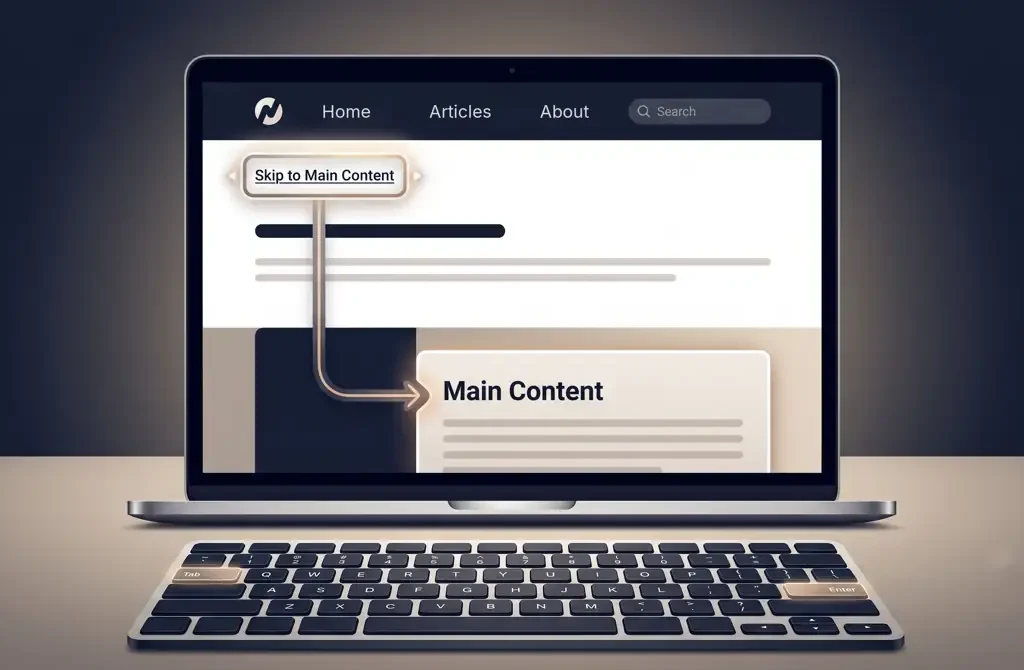

Imagine browsing a website using only your keyboard. On every new page, you press Tab through the logo, every navigation item and the search bar before you finally reach the content you came for. Then you click a link, the next page loads, and you start all over again.
That is exhausting, and it is exactly the problem skip links solve. This guide explains what a skip link is, who needs it, what WCAG actually requires, and a tested HTML and CSS pattern you can copy into your project today.
Key takeaways
- A skip link is a link at the very top of a page that jumps straight to the main content.
- WCAG 2.4.1 Bypass Blocks (Level A) requires a way to skip repeated content. Skip links are the most reliable way to meet it for keyboard users.
- Hide the link off-screen, never with
display: none, and make it clearly visible when it receives focus. - Point it at a real ID, add
tabindex="-1"to the target, and test it with a keyboard and a screen reader.
What is a skip link?
A skip link is an anchor link placed at the very top of a web page. It lets users jump directly to a specific section, usually the main content, bypassing the repeated navigation that sits before it. One press of Enter, and they are where they need to be.
Most skip links are visually hidden until a keyboard user presses Tab, at which point they slide into view with text such as “Skip to main content”. Mouse users never see them; keyboard users find them on the first keystroke.
In one sentence: a skip link is a shortcut that says “skip this navigation and take me to the content”.
Why do we use skip links?
Navigation menus can contain 10, 20 or even 30 links. For a mouse user that does not matter: they click where they want to go. For someone using a keyboard or assistive technology, every one of those links is a separate stop they have to pass on every page.
Skip links exist for three reasons:
- They save time. Nobody wants to tab through 20 navigation items on every page load.
- They reduce effort and fatigue. For some users, every extra key press has a real physical cost.
- They help you meet accessibility requirements. WCAG 2.4.1 Bypass Blocks is a Level A success criterion, and WCAG is the technical basis of laws and standards such as the ADA in the US, the European Accessibility Act, the UK Equality Act and EN 301 549.
What WCAG actually requires
WCAG 2.4.1 requires “a mechanism” to bypass blocks of content that repeat on multiple pages. It does not name skip links specifically. Proper heading structure and ARIA landmarks can also satisfy the criterion, because screen reader users can jump between them.
The catch is that headings and landmarks only help people whose software can navigate by them. A sighted keyboard user without a screen reader has no built-in way to jump to a landmark. That is why skip links remain the most dependable way to meet 2.4.1 for everyone, and why accessibility auditors check for them first.
Level A is the minimum. If a page has no skip link, no meaningful headings and no landmarks, it fails one of the most basic accessibility requirements there is.
Who is affected when skip links are missing?
Skip links are not a nice-to-have for a few edge cases. Missing skip links directly affect a large group of people:
| User group | How they navigate | Impact without skip links |
|---|---|---|
| Keyboard-only users | Tab, Shift+Tab, Enter | Must tab through every navigation item on every page, which slows browsing dramatically. |
| Screen reader users | JAWS, NVDA, VoiceOver, TalkBack | Hear the same navigation links announced on every page, which is tiring and slow. |
| People with motor disabilities | Switch access, sip-and-puff, head pointers | Every extra key press is physically demanding and can cause real fatigue or pain. |
| People with cognitive disabilities | Any method | Repeated, irrelevant content before the main content adds confusion and frustration. |
| Power keyboard users | Keyboard shortcuts | Have no quick way to reach the content, so their productivity suffers. |
According to the World Health Organization, 1.3 billion people, about one in six, live with a significant disability. Many of them use the web every day. A skip link takes a few minutes to build and is one of the easiest accessibility wins you can give them.
Five requirements every skip link must meet
1. It must be focusable, and come first
The skip link must be reachable by keyboard and must be the very first focusable element on the page. If a user has to tab past the logo or a cookie banner to reach it, it has already failed its purpose.
2. It must be visible on focus
Hide the link visually by default using an accessibility-safe technique, and make it clearly visible as soon as it receives keyboard focus, so sighted keyboard users can see and use it. Its focus indicator must be easy to see (2.4.7 Focus Visible), and it must not be covered by sticky headers or banners (2.4.11 Focus Not Obscured (Minimum), new in WCAG 2.2).
3. It must use descriptive link text
Say exactly where the link goes. The standard label for the main skip link is “Skip to main content”. For additional links, follow the pattern “Skip to [destination]”, such as “Skip to search” or “Skip to footer”. Never use “Skip” on its own: a screen reader user hears nothing about where it leads.
4. The target must exist
The ID in the link’s href must exist in the HTML and match exactly. #main-content is a sensible, widely used convention. If the target ID is missing or misspelled, the link goes nowhere and focus does not move.
5. Focus must actually move
Scrolling the page is not enough; keyboard focus has to move to the target, so the next Tab press continues from the content. Add tabindex="-1" to the target element. This lets it receive focus programmatically without adding it to the normal Tab order, and it makes the behaviour reliable across browsers and assistive technologies.
The recommended skip link pattern
This pattern is simple, works across modern browsers and screen readers, and is easy to reuse across a whole site or design system.
Step 1: The HTML
Place the link as the very first element inside <body>, and give your main content area a matching ID:
<body>
  <!-- Skip link: the FIRST element in the body -->
  <a href="#main-content" class="skip-link">Skip to main content</a>

  <header>…</header>
  <nav>…</nav>

  <main id="main-content" tabindex="-1">
    <!-- Page content -->
  </main>
</body>
Step 2: The CSS
Hide the link above the viewport by default, and slide it into view when it receives focus:
.skip-link {
  position: absolute;
  top: -100%;            /* Hidden above the viewport */
  left: 0;
  z-index: 9999;
  padding: 12px 24px;
  background: #1a56db;
  color: #ffffff;        /* About 6:1 contrast on the blue */
  font-size: 1rem;
  font-weight: 700;
  text-decoration: none;
  border-radius: 0 0 8px 0;
  transition: top 0.2s ease;
}

.skip-link:focus {
  top: 0;                /* Slides into view on focus */
  outline: 3px solid #111827;
  outline-offset: 2px;
}

@media (prefers-reduced-motion: reduce) {
  .skip-link { transition: none; }
}
A note on the focus outline: a white outline is a common mistake, because it disappears completely on a white page. Use a colour that contrasts with your page background, such as the dark outline above.
Avoid this common mistake: do not hide the skip link with
display: noneorvisibility: hidden. Both remove the element from the accessibility tree, so keyboards and screen readers can no longer reach it. Use off-screen positioning, as above, or a visually hidden utility class that becomes visible on focus.
Why tabindex=”-1″ on the target?
Elements such as <main>, <div> and <section> are not natively focusable. When a skip link points to one, some browser and screen reader combinations scroll the page but leave keyboard focus behind, so the next Tab press jumps back into the navigation. Adding tabindex="-1" lets the browser move focus there reliably, without adding the element to the regular Tab order.
Some browsers draw a focus outline around the whole <main> region when it receives focus this way. That is not a failure. If it looks distracting, you can soften it with a subtle style, but do not remove focus indicators from interactive controls.
Can you have more than one skip link?
Yes. WCAG does not limit you to one, and multiple skip links are valid. Use them only when a page has more than one major region that genuinely benefits from a shortcut, such as a persistent sidebar, an on-page search field or a complex application toolbar. Do not add them speculatively: every extra link is one more stop before the content.
<!-- Multiple skip links, all at the top of the page -->
<nav aria-label="Skip links" class="skip-nav">
  <a href="#main-content" class="skip-link">Skip to main content</a>
  <a href="#site-search" class="skip-link">Skip to search</a>
  <a href="#site-footer" class="skip-link">Skip to footer</a>
</nav>
Rules for multiple skip links
- Keep it minimal. Two to four links is a sensible maximum. More than that becomes another navigation barrier.
- Order them logically. List them in the same order the sections appear on the page.
- Use unique, descriptive labels, such as “Skip to main content”, “Skip to search” and “Skip to footer”.
- Group them in a
<nav>witharia-label="Skip links"so screen reader users understand what the group is. - Make every target real and focusable. Each ID must exist, and each non-focusable target needs
tabindex="-1". - Style them consistently, using the same pattern for every link.
Skip links and landmarks: use both
Landmarks are semantic regions such as <header>, <nav>, <main>, <aside> and <footer>. Screen reader users can jump between them with a single keystroke. Skip links and landmarks solve similar problems in different ways, and one does not replace the other:
- Keyboard-only users who do not use a screen reader have no built-in way to jump between landmarks.
- Not all screen reader users navigate by landmarks.
- A skip link is a predictable, single-action shortcut that works the same way for everyone.
Best practice is to implement both: landmarks for screen reader navigation and skip links for keyboard navigation.
Skip links in single-page applications
In React, Angular, Vue and similar frameworks, the page does not fully reload when the route changes, which can break skip links and focus in subtle ways. Make sure that:
- The skip link still works after every route change, and its target still exists in the new view.
- Focus moves to a meaningful place after navigation, such as the new page’s main heading or the main content region, instead of staying on the link the user clicked.
- The new page title is updated, so screen reader users know the page has changed.
How to test a skip link in one minute
- Load or refresh the page.
- Press Tab once. The skip link should appear and be clearly visible.
- Press Enter. The page should move to the main content.
- Press Tab again. Focus should land on the first interactive element inside the content, not back in the navigation.
- Repeat with a screen reader: NVDA with Chrome or Firefox, JAWS with Chrome, and VoiceOver with Safari. The link should be announced as “Skip to main content, link”.
- Repeat at 200% and 400% zoom and on a narrow mobile viewport, to check that the link is still reachable and not hidden behind a sticky header.
Common defects that fail an accessibility review
- The skip link comes after the navigation, or after a cookie banner.
- It is hidden with
display: noneorvisibility: hidden. - It never becomes visible on focus, or has no visible focus indicator.
- The target ID does not exist or is misspelled.
- Focus does not move, so the next Tab press returns to the navigation.
- The label is generic, such as “Skip” or “Click here”.
- There are so many skip links that they become a barrier themselves.
- JavaScript intercepts the link and breaks the expected browser behaviour.
Skip link checklist
Run through this list before you ship. Every item should be true:
- The skip link is the first focusable element inside
<body>. - Its
hrefpoints to an ID that exists in the HTML. - The target has
tabindex="-1"if it is not natively focusable. - It is hidden off-screen with CSS, not with
display: none. - It becomes clearly visible, with a visible focus indicator, when focused.
- The link text says exactly where it goes.
- It is not hidden on mobile or at high zoom levels.
- Tested with the Tab key: focus really moves.
- Tested with at least one screen reader.
- If there are several: grouped in
<nav aria-label="Skip links">, ordered and uniquely labelled.
Conclusion
Skip links are one of the smallest pieces of code you will ever write for accessibility, and one of the most noticeable. A single link at the top of the page can save keyboard and assistive technology users hundreds of key presses a day. Build it into your templates once, test it properly, and every page you publish will be faster and fairer to use.
Accessibility is not a feature; it is a foundation. Build it in from day one, not as an afterthought.
Further reading
- W3C: Understanding Success Criterion 2.4.1 Bypass Blocks
- WebAIM: “Skip Navigation” Links
- What Is Digital Accessibility? A Practical Guide to WCAG, POUR and Testing
- Audio-First Design Heuristics for Accessible Interfaces



Pingback: Screen Reader Testing for Beginners: NVDA and VoiceOver Guide
Pingback: Keyboard Accessibility and Focus Management Guide (WCAG 2.2)
Pingback: Future of Web Accessibility: 7 Shifts and How to Prepare